How to use macOS file search without using Spotlight
When Mac users think about search in macOS, they often think about Spotlight, but there’s another way. Spotlight is Apple’s file indexing and search feature.
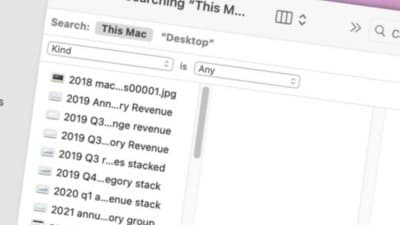
When Mac users think about search in macOS, they often think about Spotlight, but there’s another way. Here’s how to use the Finder’s built-in search instead.Spotlight is Apple’s file indexing and search feature. It runs in the background indexing the contents of your files so that when you type something into its search field it knows exactly where to find the information you’re looking for.But macOS has had its own built-in search feature for decades. You can use the Finder’s File->Find menu item or press Command-F on the Mac’s keyboard to open Finder’s main search window. Read more…
Related stories

US-China tech war escalates over EV battery dominance

Amazon loses second AWS India and South Asia top exec in less than a year
Vaishali Kasture, the executive Amazon appointed as the interim head of AWS India and South Asia, has quit the firm, a source familiar with the matter told TechCrunch, merely seven months into the top role.

TikTok to invest $1.5B in GoTo’s Indonesia e-commerce business Tokopedia
ByteDance’s TikTok wants to do more business in Indonesia — Southeast Asia’s biggest e-commerce market.

Samsung Display Readies Development Team for Apple Foldable Panels
Apple supplier Samsung Display has reorganized its Apple business team to achieve operational efficiency in the development of foldable panels, claims a new report out of Korea.

Apple TV+ shows and movies: Everything to watch on Apple TV Plus
Apple TV+ offers exclusive Apple original TV shows and movies in 4K HDR quality.